n8n vs Custom AI Workflows: Where Visual Automation Stops Being Enough
A practical framework for deciding when n8n is still the right tool and when a custom AI workflow is safer, easier to extend, and better for serious operations.

Key Takeaways
n8n is strong for deterministic workflows, prototypes, and fast internal automation.
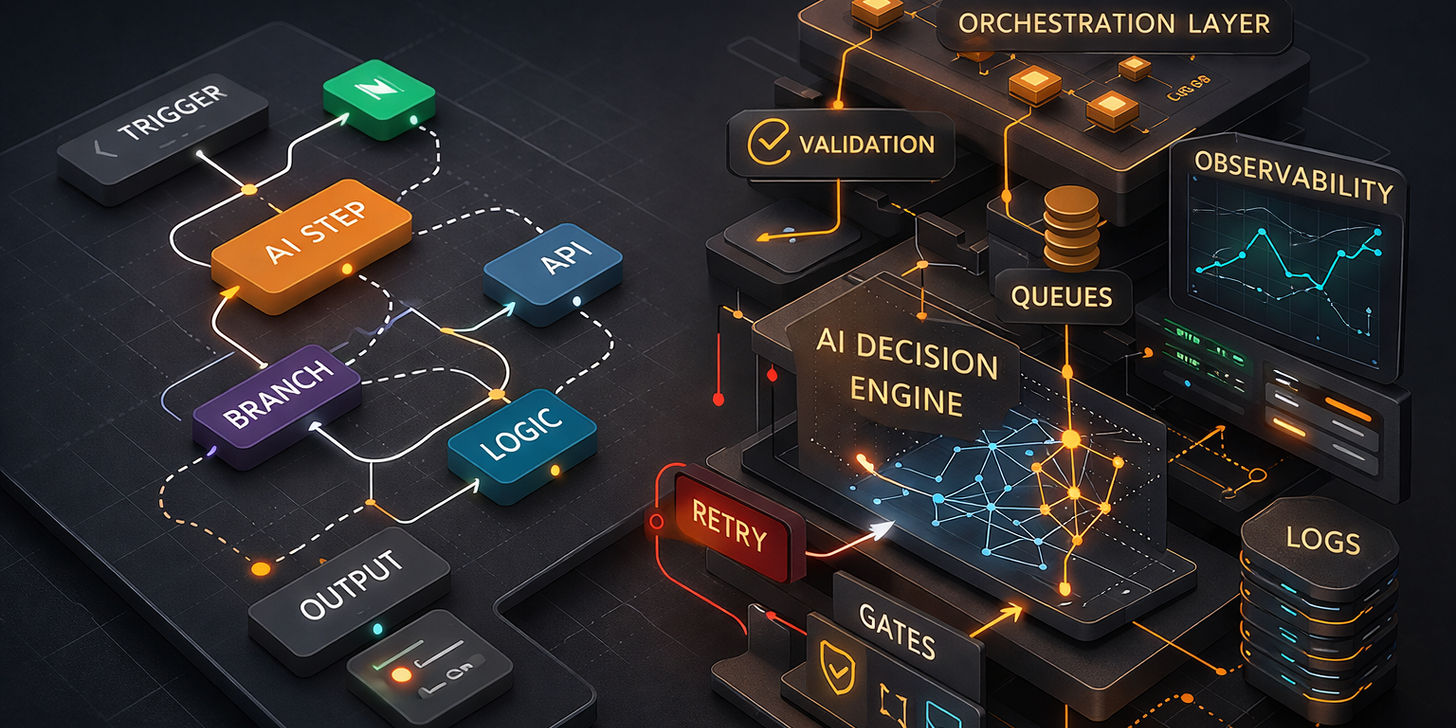
Once the system needs retries, AI structure, multi-tenant safety, or complex exception handling, it starts behaving more like software than a workflow.
The rebuild decision is usually driven by operational risk and maintainability, not aesthetics or tool preference.
n8n is powerful. It is more flexible than a lot of teams expect, and for the right use case it can move extremely fast.
The problem is that teams often ask n8n to carry workflows that are no longer just workflows. They are now operational systems with AI logic, retries, cost controls, multiple tenants, and enough edge cases to behave more like software than automation.
At that point the question is not “Can n8n do it?” The question is “Should this still live inside a visual workflow builder?”
When n8n is a strong fit
n8n is still an excellent choice when:
- The workflow is mostly deterministic.
- The integrations are clear and stable.
- The team needs to iterate quickly.
- The stakes are medium rather than mission-critical.
- One operator can still understand the flow end to end.
That is why I still recommend it for prototypes, internal tooling, and first-pass automation.
Where n8n starts to struggle
1. Complex branching and exception handling
The more edge cases you add, the harder the flow becomes to reason about. A workflow that looked elegant at twelve nodes can become risky at fifty.
2. AI steps that need structure
If models are scoring, classifying, retrieving, or making routing decisions, you need tighter control over schemas, retries, model behavior, and error visibility.
3. Long-running or batch-heavy jobs
Large fan-out processes, scheduled data work, and retry-heavy pipelines usually benefit from explicit queueing and orchestration instead of a visual flow that keeps expanding.
4. Business-critical operational state
If the workflow owns customer state, CRM transitions, billing-sensitive actions, or multi-step approvals, the cost of a silent failure becomes too high.
5. Team maintenance risk
If only one person feels safe editing the workflow, you do not really have a maintainable system. You have a hidden dependency.
What changes in a custom AI workflow
Custom AI workflows let you separate concerns cleanly:
- orchestration
- validation
- AI reasoning steps
- background jobs
- integrations
- observability
That structure matters once the workflow becomes core to revenue or operations.
In the prospect-qualification case study, workers could resume interrupted research, retries were bounded, and costs stayed with each run. The system prepared sourced drafts for human review; sending was not switched on. That is the kind of workload where explicit orchestration matters.
The hybrid approach is usually the practical one
This does not need to be an ideological decision.
We often keep a lightweight n8n layer for simple triggers while moving the heavy logic into a custom workflow service. That gives the business fast iteration where it helps and stronger engineering where it matters.
A better question to ask
Instead of asking:
“Can we build this in n8n?”
Ask:
“Will we still feel good about this architecture in six months if the workflow doubles in complexity?”
If the honest answer is no, it is better to plan the rebuild before the automation becomes a source of operational drag.
If your team is already feeling that pain, start with AI Workflow Automation Services and then review the prospect-qualification case study to see how research, fit checks and review can work together.

Where this shows up in client work
If this topic maps to your team, start with the service path and then the proof asset that shows how BrownMind applies it in production.
Service
Client onboarding
Software that collects details, checks documents and prepares client files for your team to review.
Read about client onboardingCase study
A complete client file, built automatically after each client signs
Each signed client gets an automatic 10-step run that builds their own new sheet. Designed and built by our founder, as lead developer for a partner agency.
Read the case studyWant this translated into a working system?
Book a systems audit and we will tell you where the architecture is overkill, where it is insufficient, and what the practical build path looks like.
20 minutes with Apurva. Not a sales call.
Book a Free Systems Audit